附录: tmux 在 Windows 10 使用{#appendix-windows-bash}
要在windows 系统上安装tmux,可以使用MSYS2,或者安装windows的子系统 Linux。
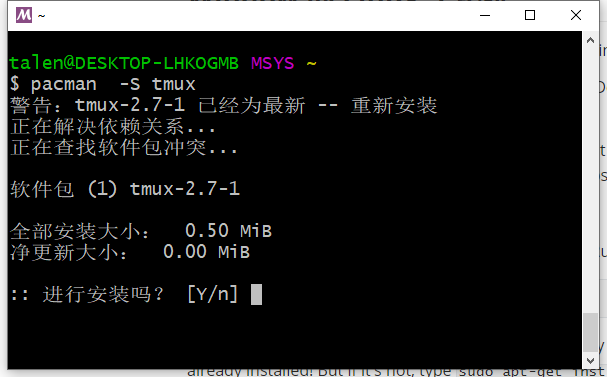 1563281005928
 1563281982394
Window 的 Linux 子系统
从 Windows 10 build 14361开始,可以通过 Window 的 Linux 子系统 运行 tmux 。
在 设置的 “Update & security”下的 “For Developers”,使能 Developer mode 选项。之后,打开 “Windows Features”。你可以在开始搜索 “Turn Windows features on or off”,然后打开 “Windows Subsystem for Linux (Beta)” 功能,需要重启电脑。
接下来打开 cmd窗口(Run cli.exe),运行:
C:\Users\tony> bash.exe
可能需要同意一些条款,创建一个用户。在作者的电脑上,tmux已经安装好了。如果没有安装可以使用sudo apt-get install tmux安装。
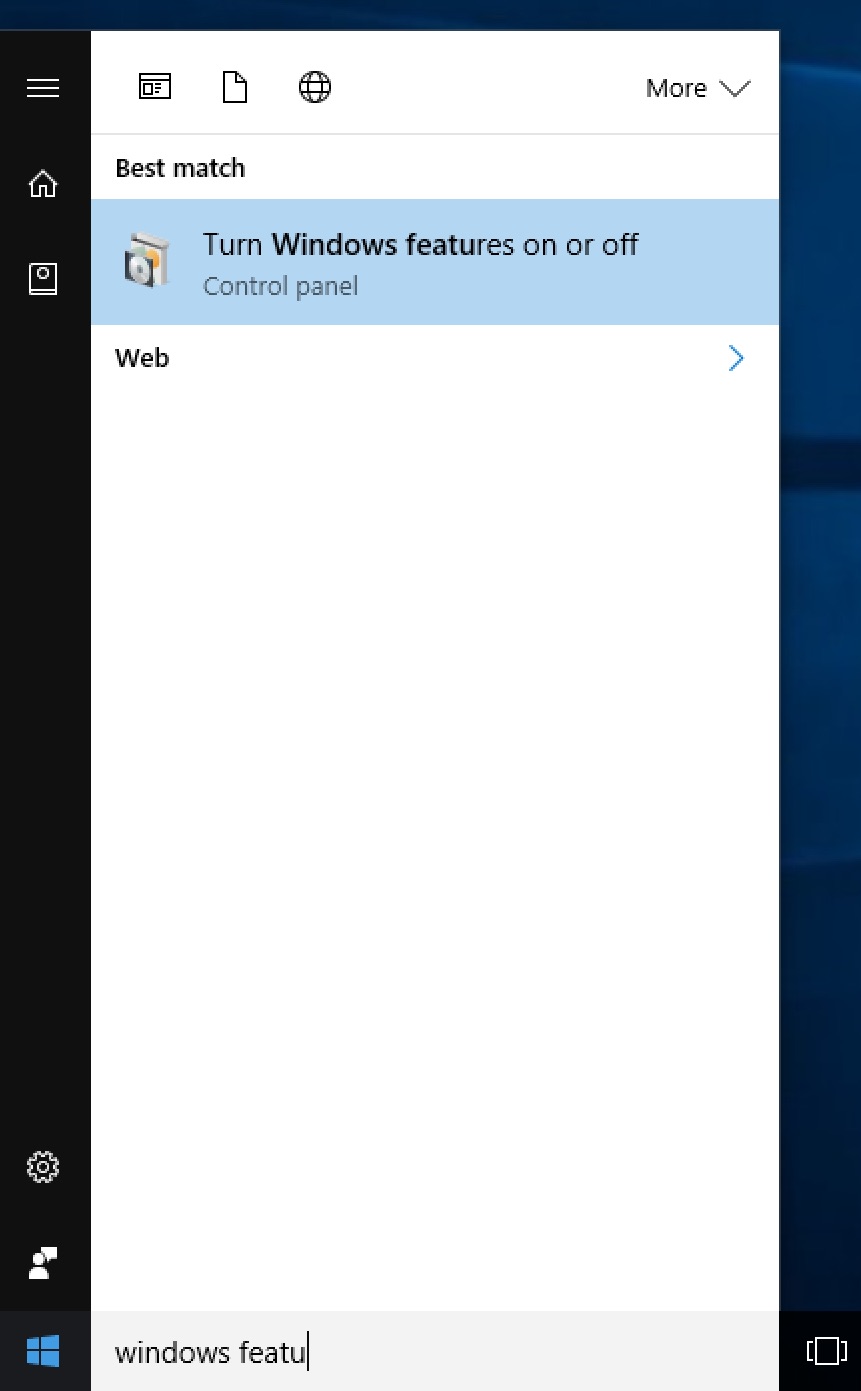 Find Turn Windows Features on or off
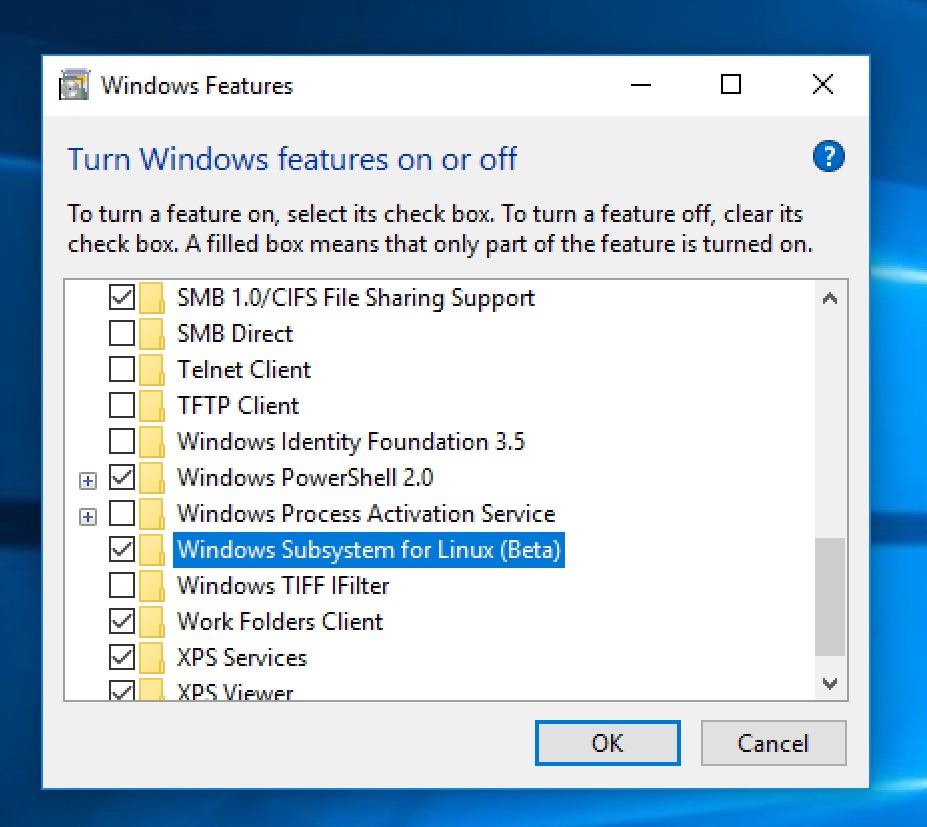 Check Windows Subsystem for Linux (Beta)
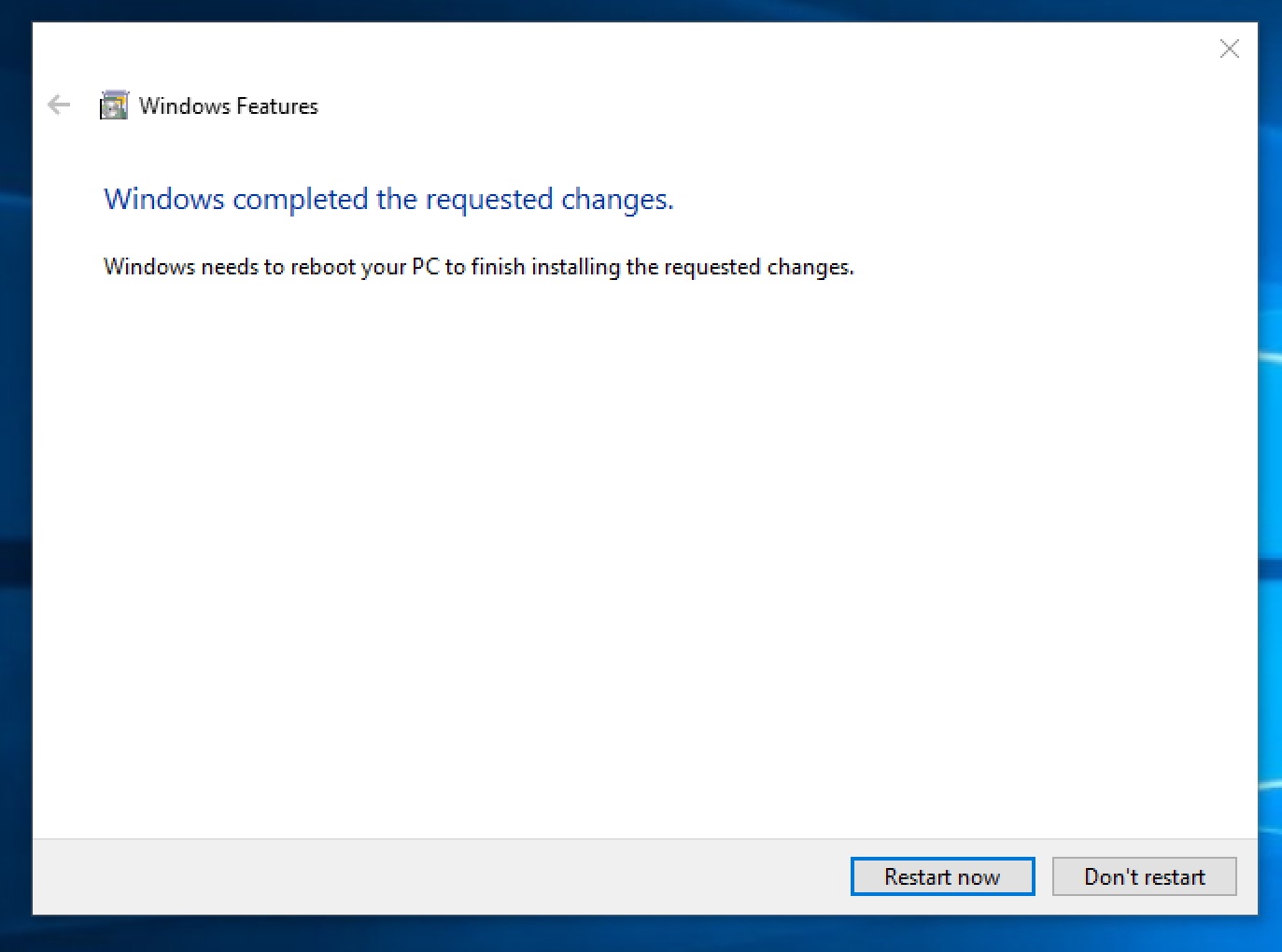 Windows completed the requested changes. Restart
 Use Developer features
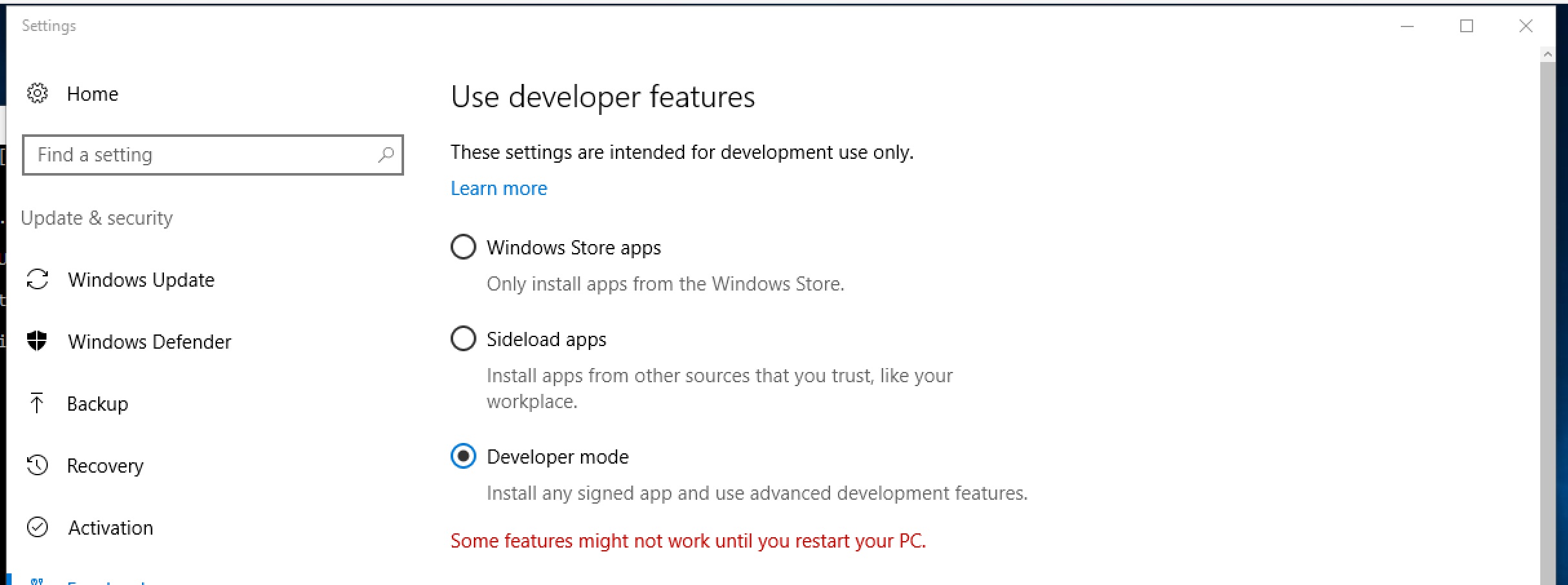 Select Developer mode in Update & Security
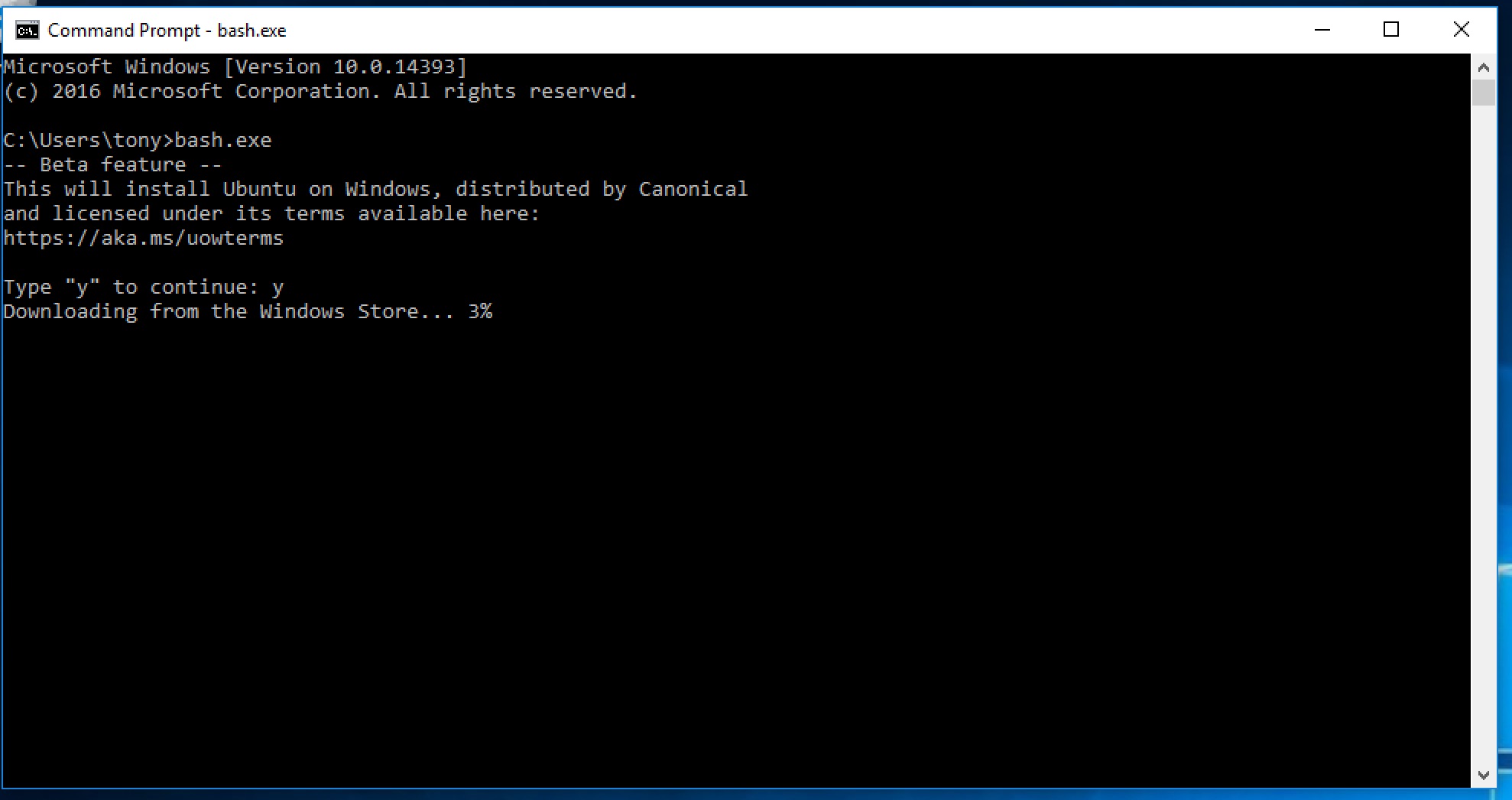 Installing Ubuntu from Windows Store
 Create Linux user
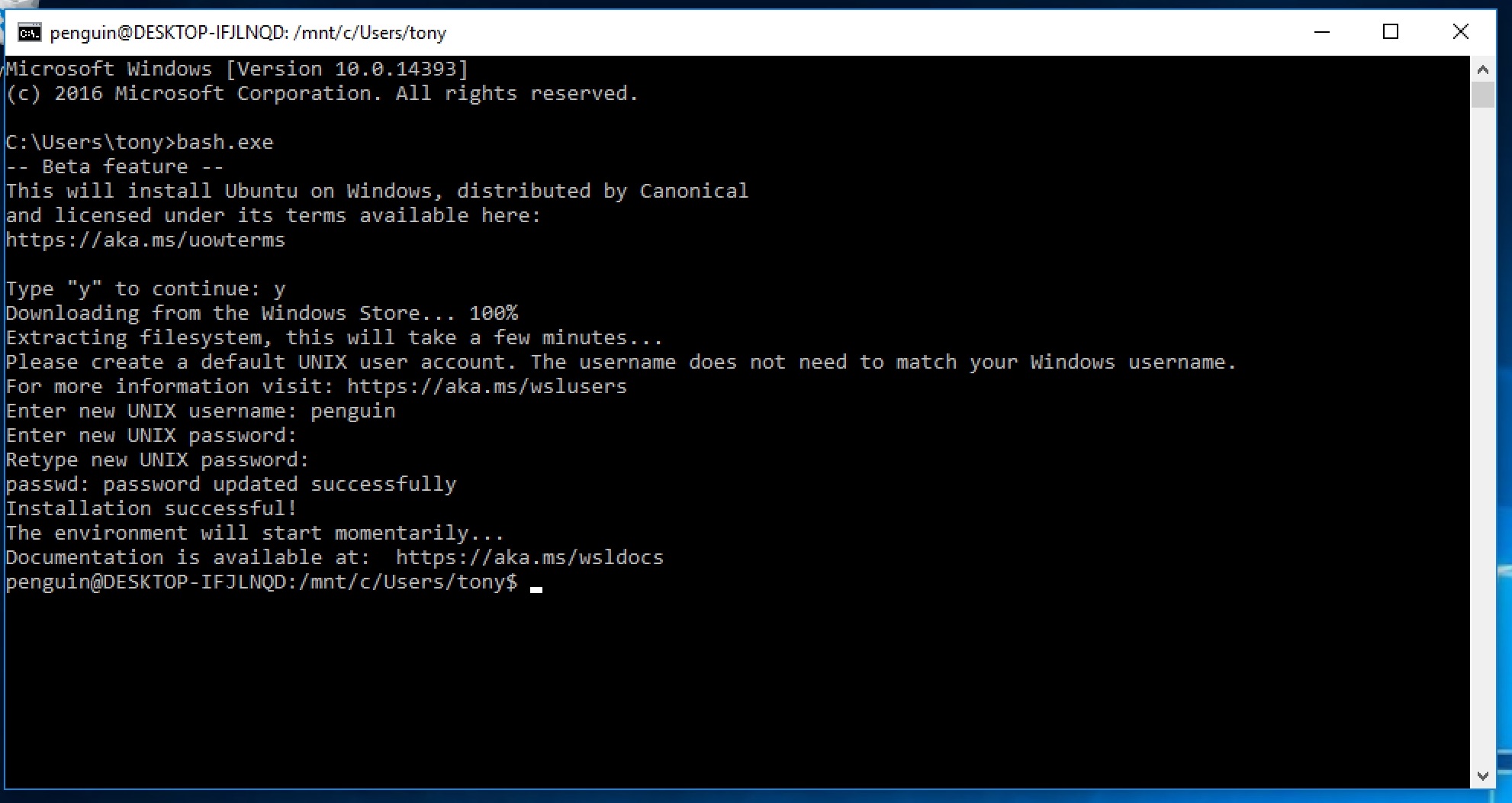 In bash!
yourusername@COMPUTERNAME-ID321FJ:/mnt/c/Users/username$ tmux
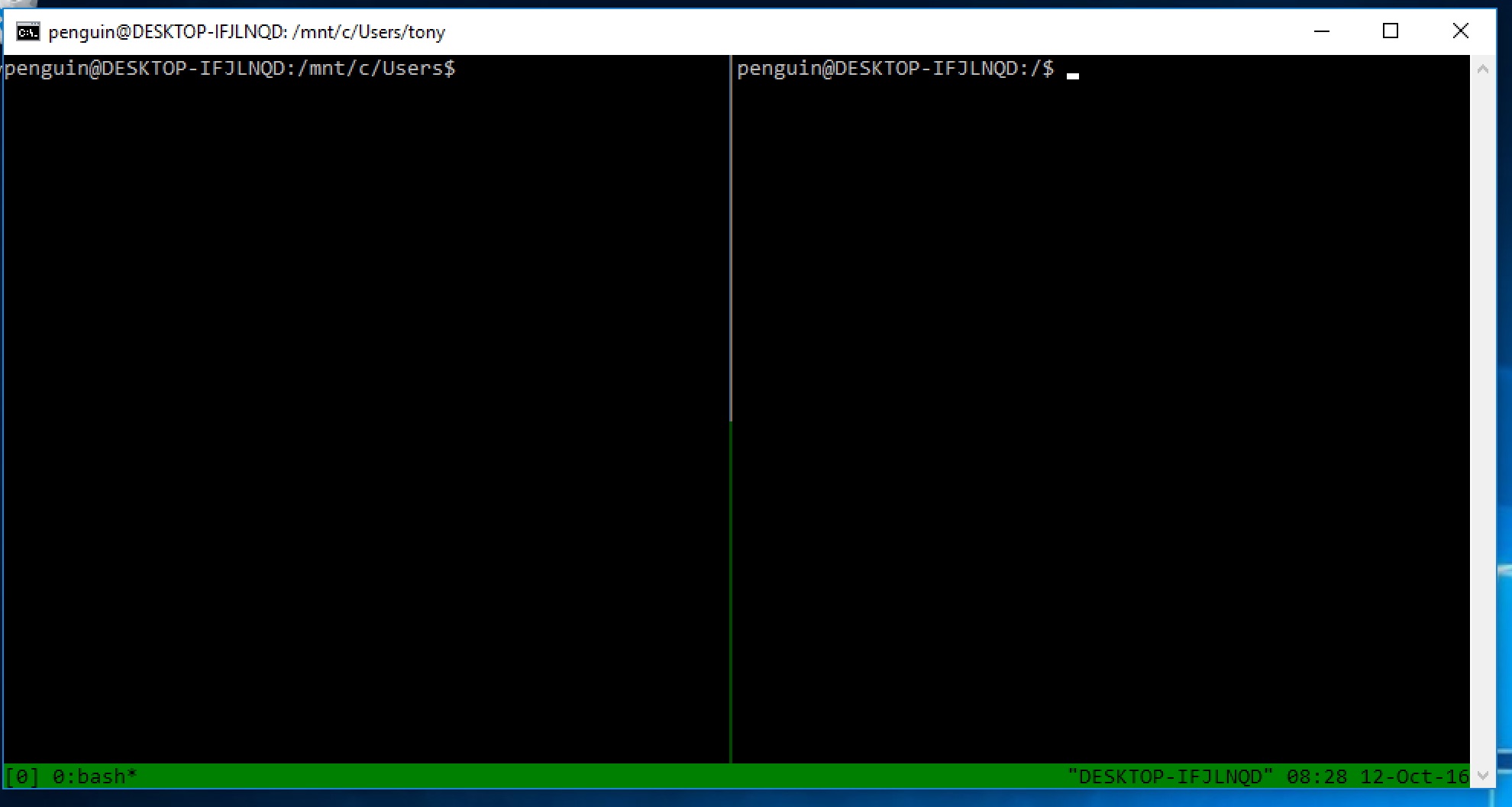 In tmux!
这下你可以在bash.exe里面运行tmux了。
在这个ubuntu系统里面,你可以通过 sudo apt-get install **packagename** 继续安装其他软件和sudo apt-get update && sudo apt-get upgrade更新软件。